
IPTV Smarters Pro is a powerful and user-friendly IPTV application originally built for Xtream Codes. It also supports M3U links and local playlist files.
The app has a clean, modern interface and is optimized for stable high-quality streaming with minimal buffering.
Compatible with Android phones & tablets, iOS (iPhone & iPad), and Smart TVs (Android TV, LG webOS, Samsung Tizen).
Key features of IPTV Smarters Pro
- Xtream Codes API login
- M3U and local playlist support
- Live TV, Movies and Series in one app
- Works on Android, iOS and Smart TVs
- Simple setup for beginners
- Reliable everyday streaming
Download the app
Visit the official websiteInstall IPTV on IPTV Smarters
Bring TV channels into IPTV Smarters Pro with your KEMO SAT Xtream Codes details.
- 1
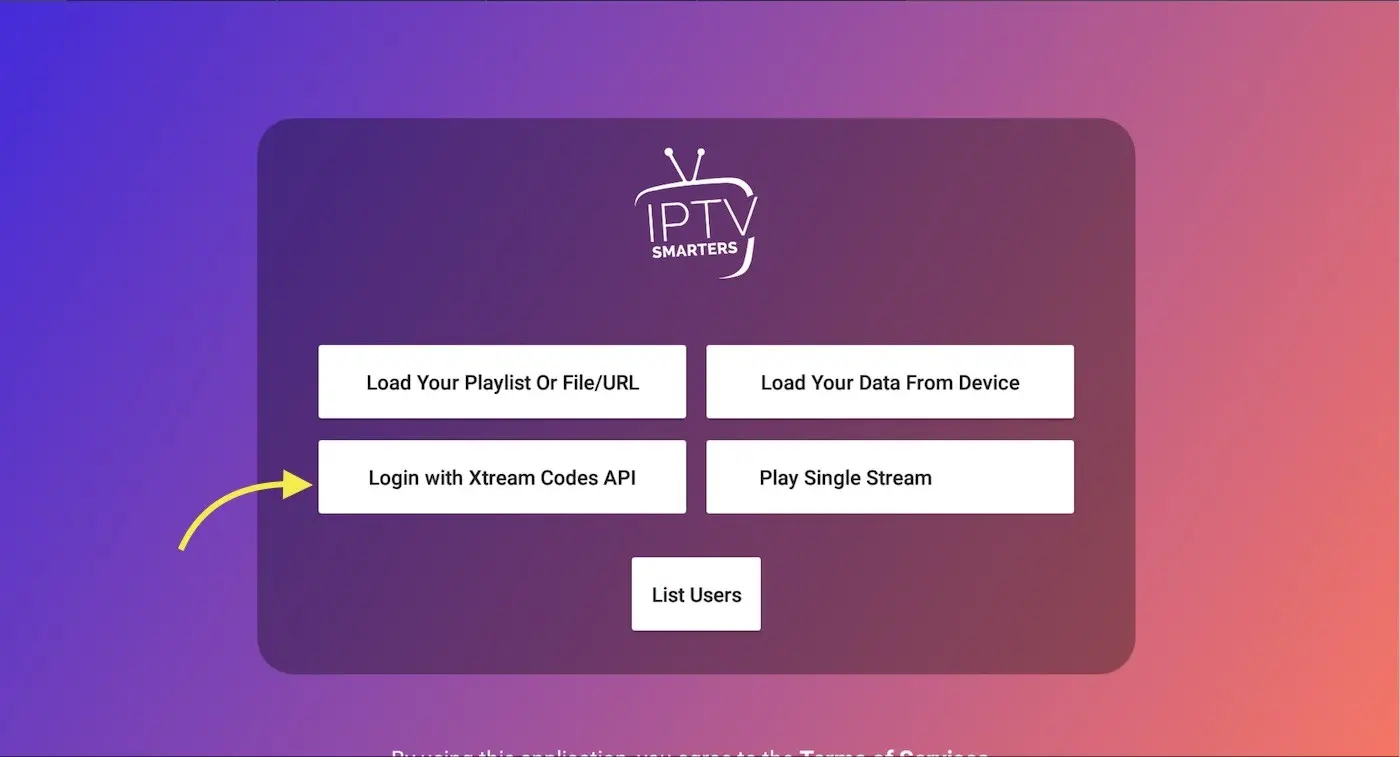
Choose your list type
Open the app and choose how you want to add a list. We recommend Xtream Codes API, supported by most IPTV providers including KEMO SAT.
- 2
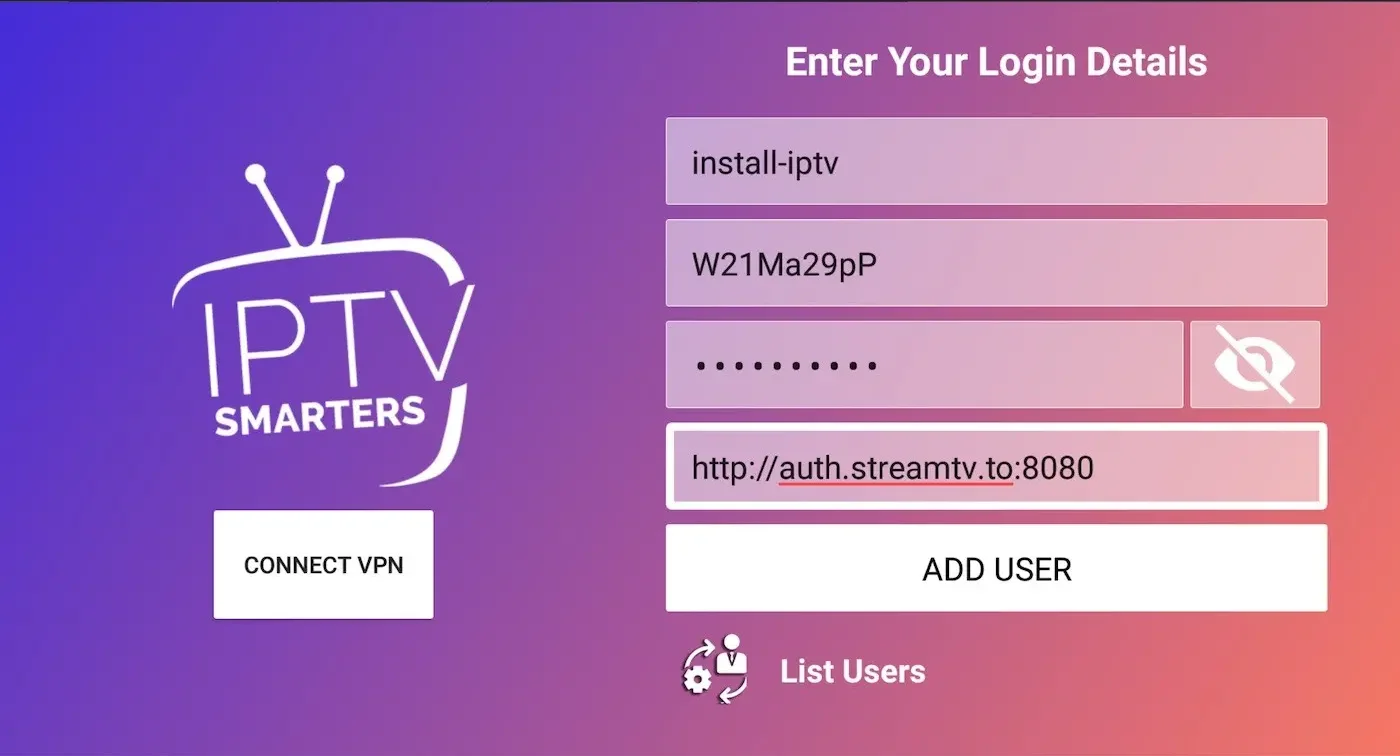
Enter Xtream connection details
Enter any name, then Username, Password and Server URL from KEMO SAT. Press Add User. You can also extract Xtream details from an M3U link.
- 3
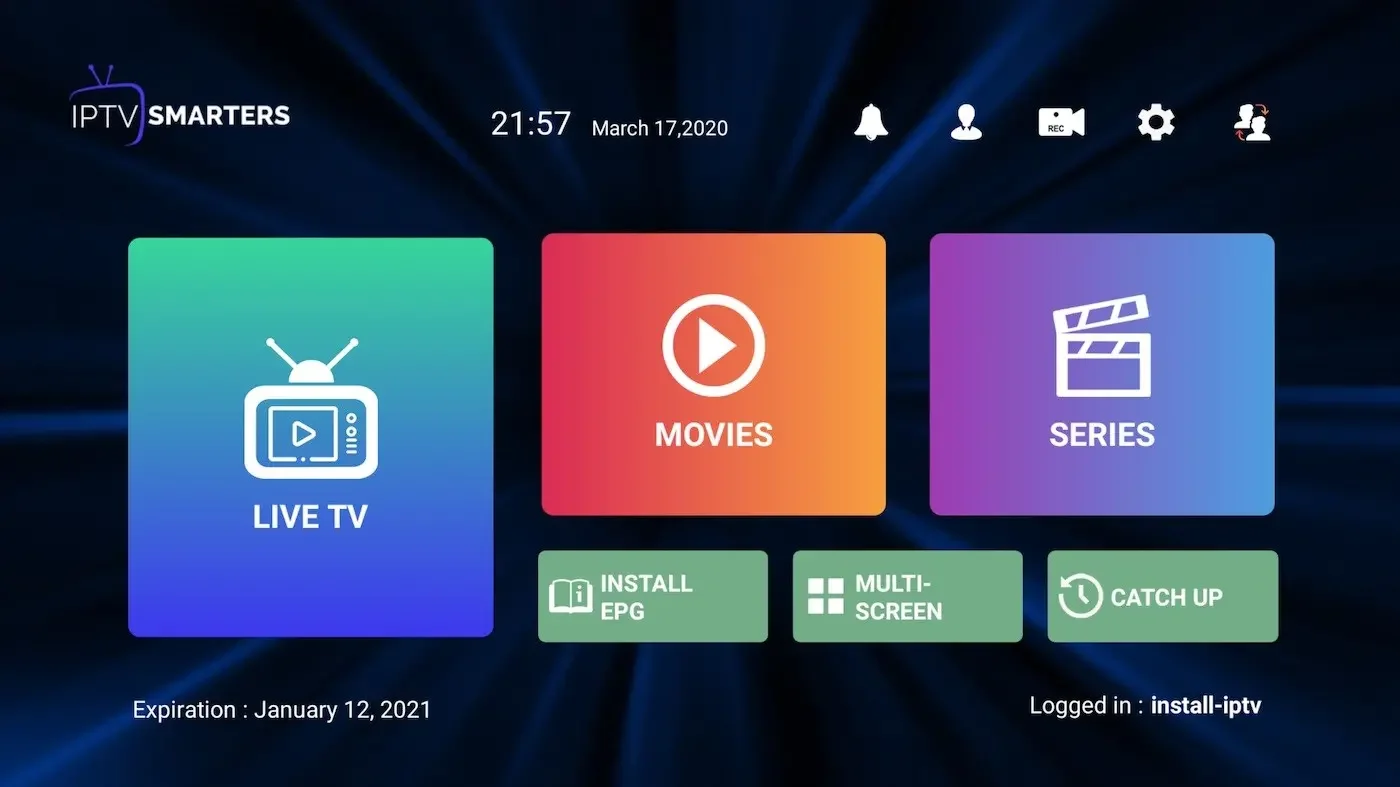
You are logged in
Live TV, VOD and Series are now available to watch. Done.
FAQs
How to find Xtream Codes details?
Xtream Codes API info includes Server URL, Username and Password. Check your KEMO SAT email, or extract them from your M3U link.

How to install IPTV Smarters on Fire TV / Firestick?
Install the Downloader app from the Amazon Appstore, enable Apps from Unknown Sources in Developer Options, then use Downloader to install the IPTV Smarters Pro APK and log in with your KEMO SAT Xtream details.
Ready to watch?
Get your KEMO SAT free trial and use the credentials from your email in IPTV Smarters Pro.