

GSE Smart IPTV is a powerful IPTV player for iOS, Android, Apple TV (tvOS) and macOS. It supports M3U playlists and Xtream Codes platforms.
The app does not include channels by default — add your KEMO SAT playlist or Xtream login to start streaming.
Before starting, make sure you have an active KEMO SAT subscription and your M3U URL or Xtream Codes login details.
Key features of GSE Smart IPTV
- Works on iOS, Android, Apple TV and macOS
- Xtream Codes API and M3U playlist support
- Strong built-in media player
- EPG auto-update options
- Playlist management for multiple lists
- Recording support on compatible devices
Download the app
Get it on Google PlayHow to add IPTV channels to GSE Smart IPTV
The GSE Smart IPTV setup is the same for Android and iOS. We recommend Xtream Codes API.
- 1
Open the app
Install and launch the app on your device.
- 2
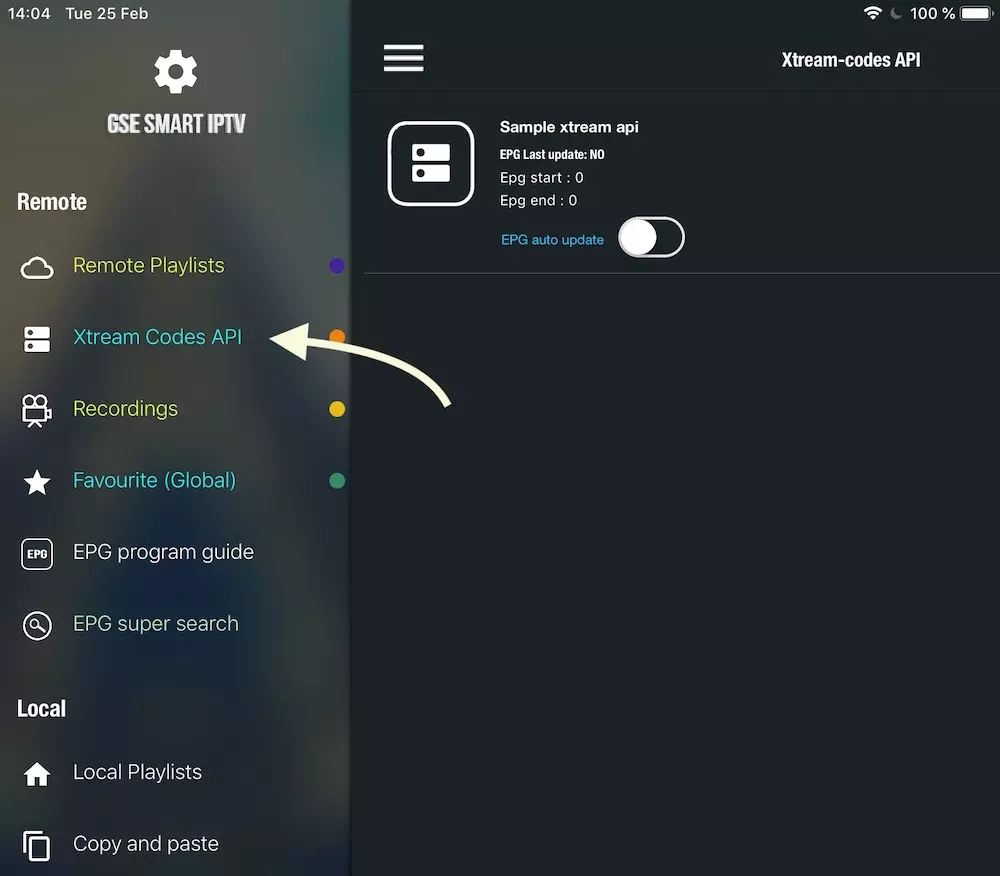
Navigate to XTREAM CODES API
Open the XTREAM CODES API section from the app menu.
- 3
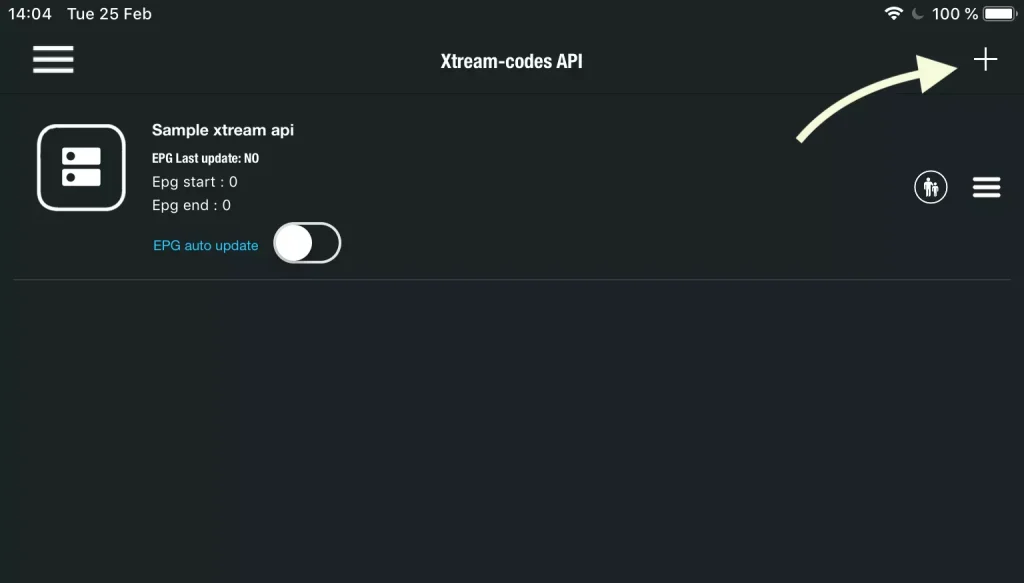
Press the + icon
Tap + to add a new Xtream Codes list.
- 4
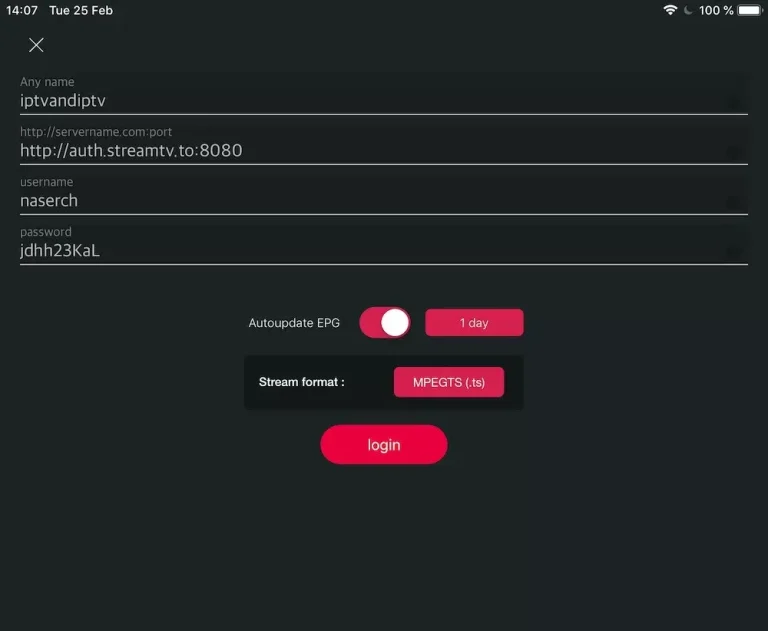
Enter Xtream connection details
Enter a name, then Server, Username and Password from KEMO SAT. Turn ON Autoupdate EPG, then press Login.
- 5
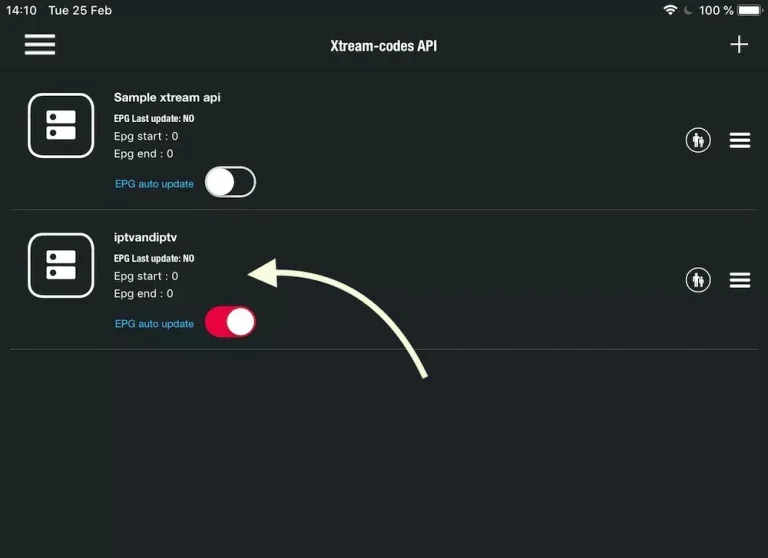
Confirm and load the list
Save the list and wait while GSE downloads Live TV, Movies and Series.
- 6
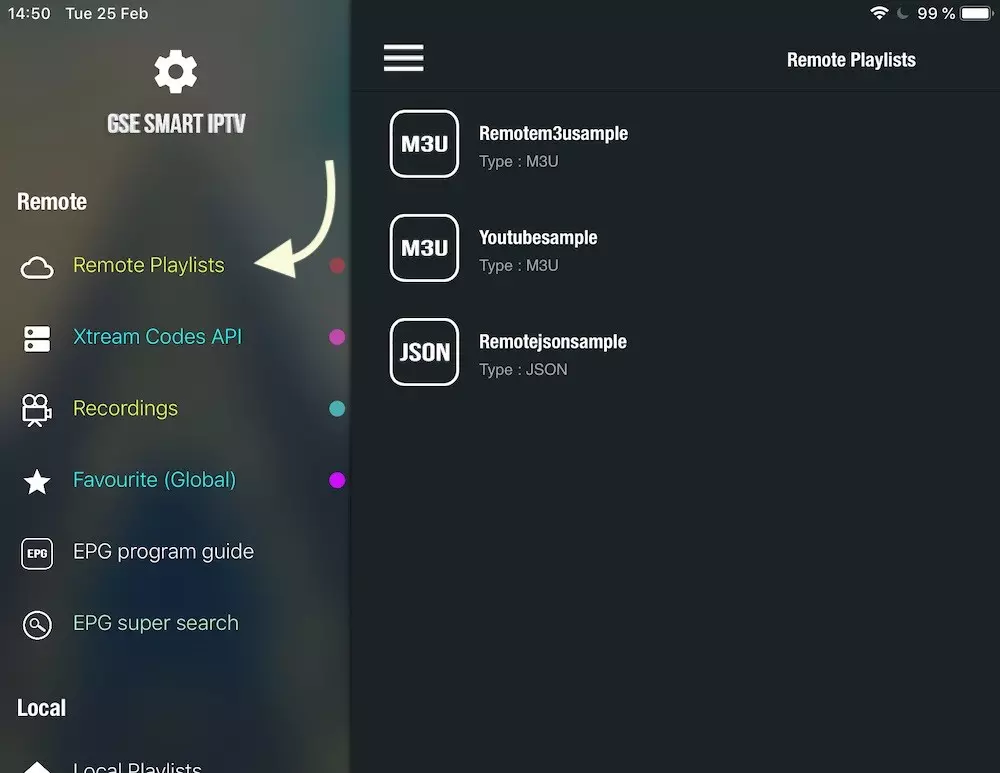
Open your playlist
Select the playlist you created to browse categories.
- 7
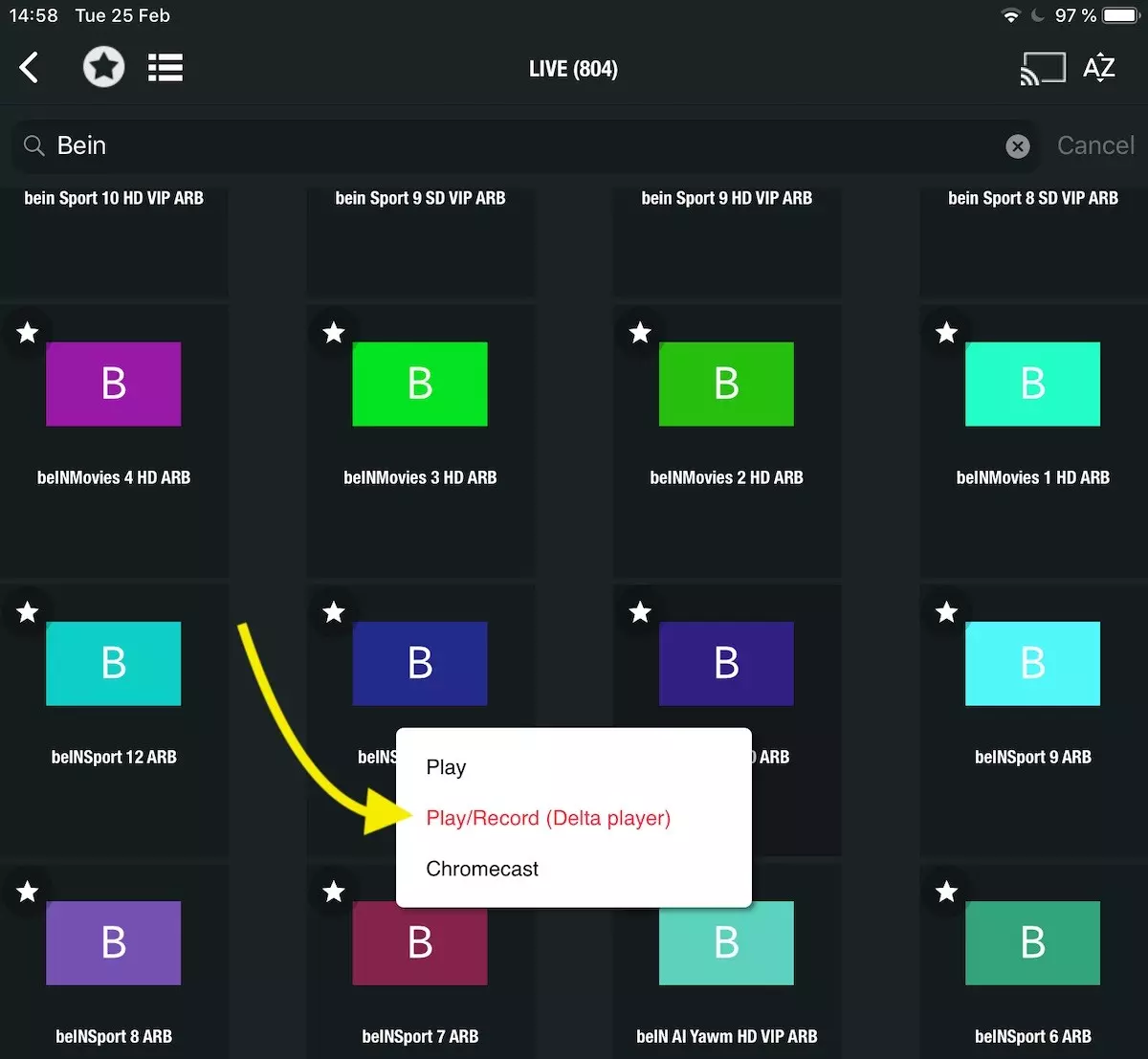
Browse Live TV
Open Live TV groups and pick a channel to start watching.

- 8
Enjoy streaming
You are done — Live TV, VOD and Series are ready on KEMO SAT.
FAQs
How can I set an M3U link instead of Xtream Codes?
Use the Remote Playlists section, press +, choose Add M3U URL, then paste your KEMO SAT M3U link.
Ready to watch?
Get your KEMO SAT free trial and use the credentials from your email in GSE Smart IPTV.